 Haalkhata
Free for now · installs in one tap
Inventory management software in Bangladesh, made for small shops
Haalkhata is inventory management software in Bangladesh, free for now, for the shop on your street: record a sale, remember who owes what, and see your stock and the cash that should be in the drawer. In Bangla or English, on a phone or a computer.
- shops keep their books on Haalkhata
- products added
- sales recorded
Four jobs, in one app
A simple accounting app for small business in Bangladesh — the daily work of a shop, without an accountant's vocabulary.
-
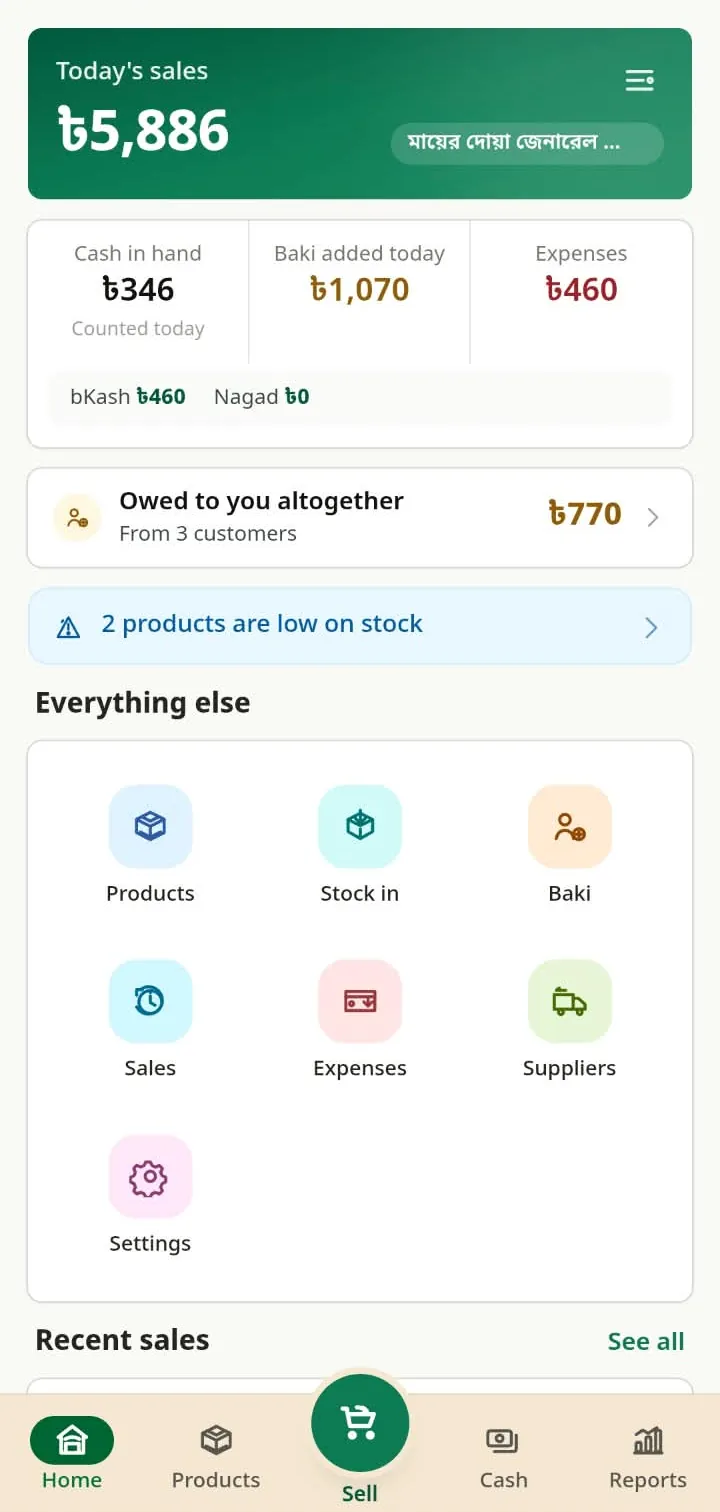
Record a sale
Pick products, enter quantities, and the total works itself out — by the kilo, the litre or the piece.
-
Baki book
Who owes you, how much, and when they last paid. The app does the adding up.
-
Stock
What is on the shelf and what is running low, flagged before it runs out.
-
Cash in hand
What should be in the drawer, in bKash and in Nagad right now — counted against what is.
Grocery shop software that sells rice by the kilo and oil by the litre, and a pharmacy, a cloth shop or a hardware store use the same app.
On your phone and your computer — install it from the browser
- Open your shop in your phone's browser. A phone number and a password — about a minute.
- Tap “Add to home screen”. Haalkhata offers it. On an iPhone, tap Share, then “Add to Home Screen”.
- Haalkhata on your home screen. It opens like an app, in one tap.
It runs on a computer too. Sign in from any laptop or desktop browser with the same number and password — inventory software with nothing to install on the PC.
Free, all of it, for now
No money and no bank card today. If pricing comes later, you will be told first. What it costs, in full
The questions everyone asks
Is it really free?
Yes, all of it is free today, with no bank card required. If pricing is introduced later, you will be told first.
How do I install Haalkhata?
Open it in your phone's browser and tap “Add to home screen” — it sits on your home screen and opens like any other app, in one tap. On a computer, it runs in any browser with the same account.
Does it work on a computer?
Yes. Sign in from a computer's browser with the same phone number and password and the books are the same.
What if the connection drops?
Your sale is not lost. If the connection drops while you record a sale, the sale is held on that phone, shown as not recorded yet, and sent on its own when the signal returns. Do not clear the browser’s data before it has gone.
What if I change my phone?
Nothing is lost. Sign in with your phone number and password and everything is there — your books live on the server, not on the handset.
Can anyone else see my shop?
No other shop can. One shop, one login. For support, a Haalkhata administrator can open a shop, and every visit and every change is logged. There are no adverts.